Outreach Toolkit
Help Florida kids receive free books and resources by spreading the word about New Worlds Reading.

How can I use this toolkit?
This toolkit includes pre-made messages, photos, flyers and more that you can use to quickly and easily tell families, educators, and communities about New Worlds Reading. Many family-facing materials are available in English, Spanish, and Haitian Creole.
Whether you're including a blurb about available literacy resources in your organization's newsletter or adding program info to parent-teacher conference talking points, we've got you covered! Want to request an addition to the toolkit? Email us at new.worlds@coe.ufl.edu.
Have questions about New Worlds Reading?
Visit our FAQ for info about our program, our application, our book selection, and our Learning Lab programs.
Contents
Program Blurbs
These blurbs contain the basics that families need to know about New Worlds Reading. Copy and paste these messages into emails, newsletters, classroom portal posts, web pages, and more.
For Sharing with Educators
For Sharing with Families
Flyers
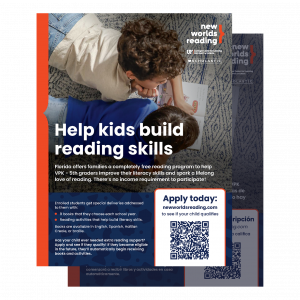
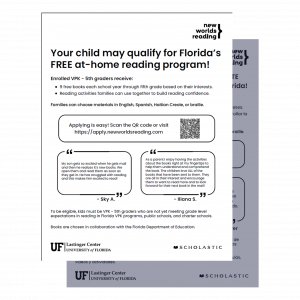
We have downloadable flyers you can share digitally, as well as black-and-white printable flyers you can hand out to families.
Digital Flyers
Our two digital flyers come in English/Spanish or English/Haitian Creole.
Print Flyers
Our two print flyers come in English/Spanish or English/Haitian Creole.
Web Banners
These banners can be added to your website. If you add these banners, please hyperlink them to https://www.newworldsreading.com/en/enrollment/.
"Boost Confidence" Banner
Alt Text:
An orange banner sized to 320 x 50 px. It has the New Worlds Reading logo on it with white text that reads, “Boost confidence with our free reading program for eligible kids.” A blue arrow indicates where one should click.

"Help Build Literacy" Banner
Alt Text:
A blue banner sized 728 x 90 px. It has three logos: New Worlds Reading, the UF Lastinger Center for Learning, and Scholastic. It reads: “Florida’s free reading program helps eligible kids build literacy skills.” An orange button on the banner says, “Apply now!”

"Special Delivery" Banner
Alt Text:
A blue banner sized 728 x 90 px. It has three logos: New Worlds Reading, the UF Lastinger Center for Learning, and Scholastic. It reads: “Special delivery: Free books & reading activities!” An orange button on the banner says, “Apply for eligible kids.”

Photos & Videos

Image Libraries
Each zip file includes a batch of images and a document with the images' corresponding alt text. These images may only be used to promote the New Worlds Reading Initiative. Please refer to this website for up-to-date image rights and permissions. If you include your own images, please ensure you have the necessary legal media consents.
Families Reading Together
These photos show kids and families reading program books, completing activities, and opening their New Worlds Reading deliveries.
Reading Shapes Passions
These photos are from our "Reading Shapes Passions" interview series. They depict a fifth grade student interviewing three Florida professionals about how reading lead to the careers they love.
Videos
These videos are also available on our YouTube channel.
New Worlds Reading Family Overview
This video provides a general overview of the New Worlds Reading program.
Books That Make Us
This promotional video describes how books inspire kids as they grow.
Testimonial Series
Hear from six students about their journey from striving to thriving readers with New Worlds Reading.
"Reading Shapes Passion" Series
This four-video series follows Saoirse, our kid reporter, as she interviews professionals in several industries about how reading influenced their careers.
Looking for videos about literacy? We have those, too! Check out our family resources page and our educator resources page for videos that contain reading tips, strategies, and resource tutorials.
Logos & Templates

Logos
UF Lastinger Center Logos
New Worlds Reading Logos
PowerPoint Template
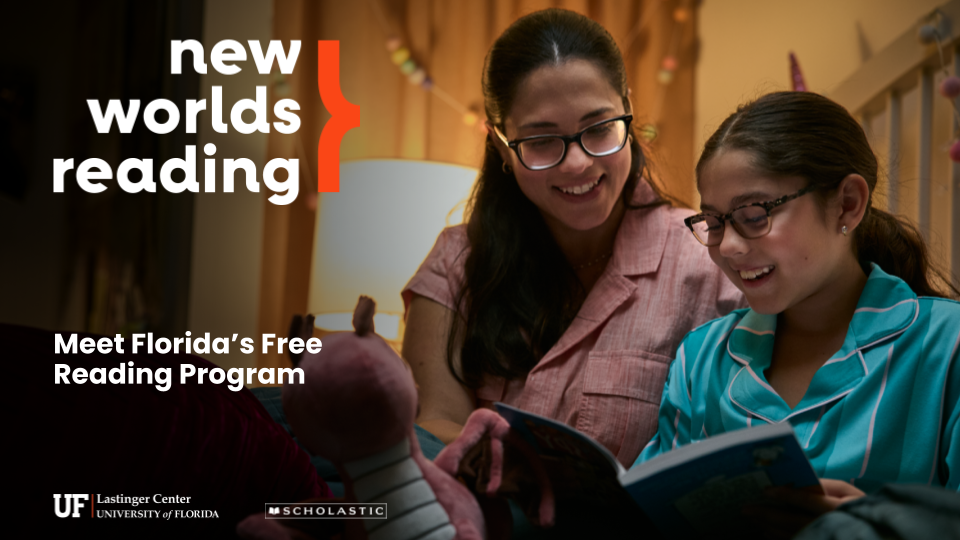
Pre-Made Slides
To edit this presentation, you can either download it as a PowerPoint file and open it on your computer, or select File > Make a Copy to create an editable version in your Google Drive.
Social Media
Social Media Guidelines
Social Media Posting
We suggest sharing content about New Worlds Reading no more than twice per week to avoid oversaturating audiences and networks.
Hashtags for Social Media Posts
New Worlds Reading Social Media Handles
Please tag us when you promote New Worlds Reading on social media and encourage your enrolled families to do the same when they receive their books, when they read program books with their children and when they use the literacy resources.
Please follow us at the handles below so you don’t miss any of our updates. We’d love to spread the love and engage with your posts!
Note: These are the official and only handles for our program on these channels.
Sample Social Media Posts
You can pair these pre-made posts along with a photo or video link from our Images & Videos section. Note: If using Instagram, remove the link (it won't work on the platform).
Sample Post 1
Florida has a free program for families called New Worlds Reading. Kids in VPK – 5th grade can get 9 free books that you choose + activities to build reading skills. See if your child is eligible at newworldsreading.com.
Sample Post 2
We are proud to support New Worlds Reading, Florida’s free program that helps kids build their literacy skills and discover a love of reading. Your child may qualify to receive free books and reading activities each school year through fifth grade. Learn more at newworldsreading.com.
Sample Post 3
Help build your child’s reading confidence with free books and literacy activities from a Florida program called New Worlds Reading. You can choose 9 books for your child each year, including books from popular series like Clifford the Big Red Dog, Super Fly Guy and The Magic School Bus. Apply at newworldsreading.com.